

🔀 Multi-Environment Parallel Simulation#
MotrixSim has built-in multi-environment parallel simulation capabilities, allowing you to easily run high-performance parallel simulations for thousands of model instances.
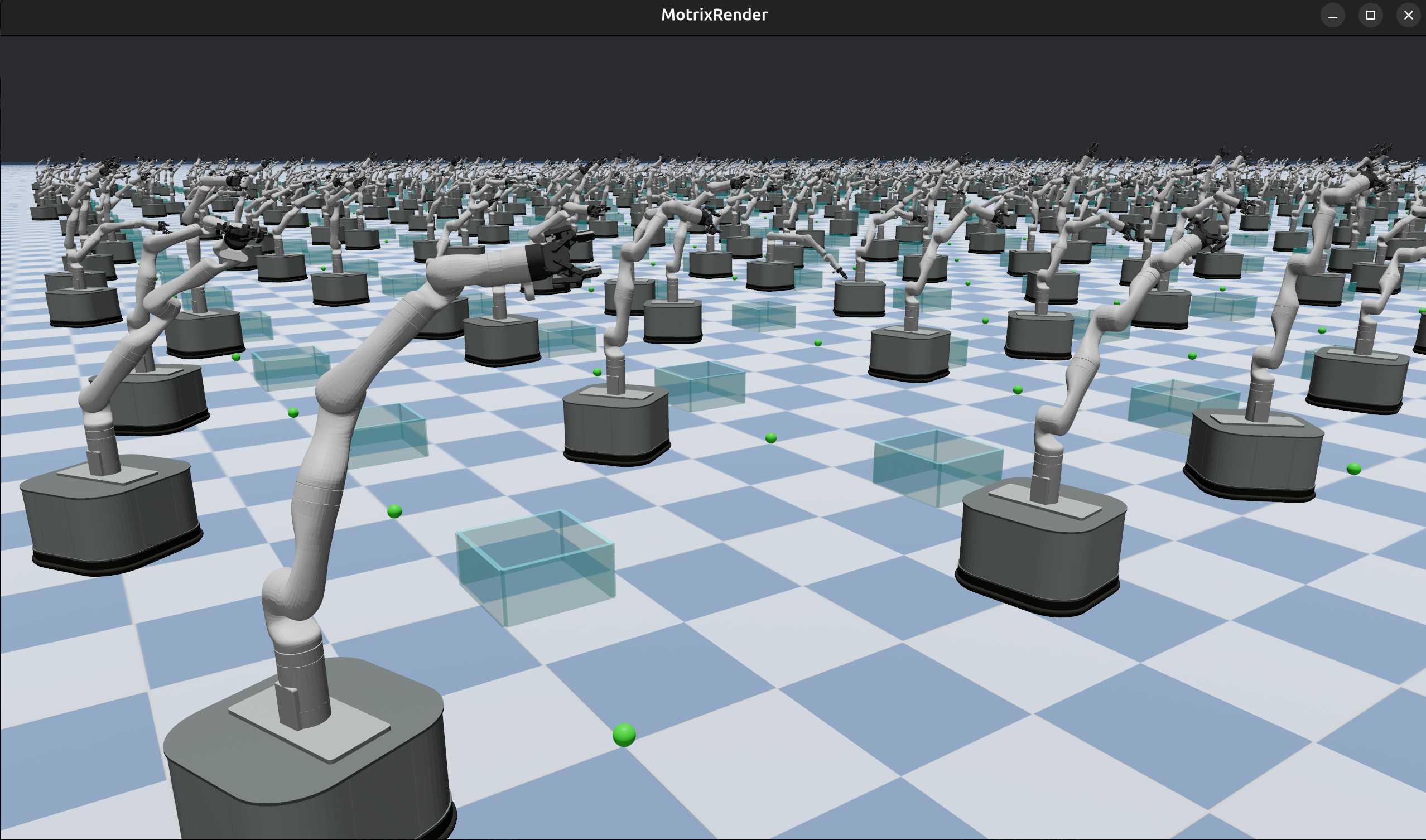
Visualization of 900 tidybot instances in parallel simulation with MotrixSim#
Creating Multiple Instances#
In MotrixSim, creating multiple instances is simple. You just need to pass a batch parameter when constructing SceneData:
size = 10
batch_size = size * size
path = "examples/assets/stanford_tidybot/scene_position.xml"

model = load_model(path)
data = SceneData(model, batch=(batch_size,))

# When create scene data in batch mode, we also need to launch the render in batch mode.
# The render offset can be assigned for each instance to avoid overlapping.
# Note: The offset only affects the render objects, the physics instance is still at the origin.
render_offset = []
for i in range(size):
    for j in range(size):
        render_offset.append([-i * 2, j * 2, 0])
render.launch(model, batch=batch_size, render_offset=render_offset)
# a batch dimension is added to all data fields
assert data.dof_pos.shape == (batch_size, model.num_dof_pos)
In the example above, we create 30x30=900 model instances. For visualization, we set a different offset position for each instance when launching the renderer, arranging them in a grid on a plane. These 900 instances are automatically distributed across multiple CPU cores for parallel simulation.
Note
The render_offset parameter of the renderer only affects the visualization offset and does not affect the actual physical simulation positions of the models.
You can also run the above example with the following command:
uv run examples/parallel/parallelsim.py
Accessing Multi-Instance Data#
In batch mode, model state data is stored in SceneData as batches. All data fields related to Data will automatically have an added batch dimension. For example, position data dof_pos will be a 2D array of shape (batch_size, num_dof_pos).
batch = (1000,)
data = mtx.SceneData(model, batch=batch)
assert data.dof_vel.shape == (*batch, model.num_dof_vel)
Similarly, data setting interfaces also require an added batch dimension:
data.actuator_ctrls = np.random.rand(batch_size, model.num_actuators)
Indexing#
When SceneData is in batch mode, you can access subsets of instance data in several ways.
1. Accessing a Single Instance#
single_data = data[0]
assert single_data.shape == ()
single_data.actuator_ctrls = np.random.rand(model.num_actuators)
In the code above, we access the data of the first instance via data[0]. The returned single_data is a new SceneData object with shape (), indicating scalar instance data. This instance shares memory with the original data, so modifications to single_data are reflected in data.
2. Accessing via Mask#
SceneData also supports indexing with NDArray[bool], returning a new SceneData containing only the instances where the mask index is True.
mask = np.arange(batch_size) % 2 == 1
masked_data = data[mask]
masked_data.actuator_ctrls = np.random.rand(int(batch_size / 2), model.num_actuators)
Benchmarks#
In the examples directory, we provide a simple script parallel_bench.py to test MotrixSim’s performance in multi-instance parallel simulation. You can run this script with:
uv run examples/parallel/parallel_bench.py --file examples/assets/go1/scene.xml
You will get output similar to:
Summary: 3000 steps for 1024 instances in 7.101 seconds
Average: 432605.091 steps/second
The CPU used in this test: AMD Ryzen™ 9 9950X × 32. The results show that MotrixSim can achieve over 400,000 simulation steps per second on this hardware.